Imagine a customer in Douala or Buea landing on your website, ready to buy your product or contact you. Instead of a clean page, their browser shows a red warning: "Not secure." In seconds, they leave and visit a competitor. This happens every day to Cameroonian businesses that have not installed an SSL certificate. The good news? You can get a free SSL certificate and fix this problem without spending a single FCFA on the certificate itself.
In this guide, we explain what an SSL certificate is, why your website absolutely needs one, and the exact steps to get one for free. Whether you run a startup in Yaounde, an online shop in Bamenda, or a corporate site in Limbe, this article will help you secure your site and earn the trust of every visitor.
What Is an SSL Certificate and Why Does It Matter?
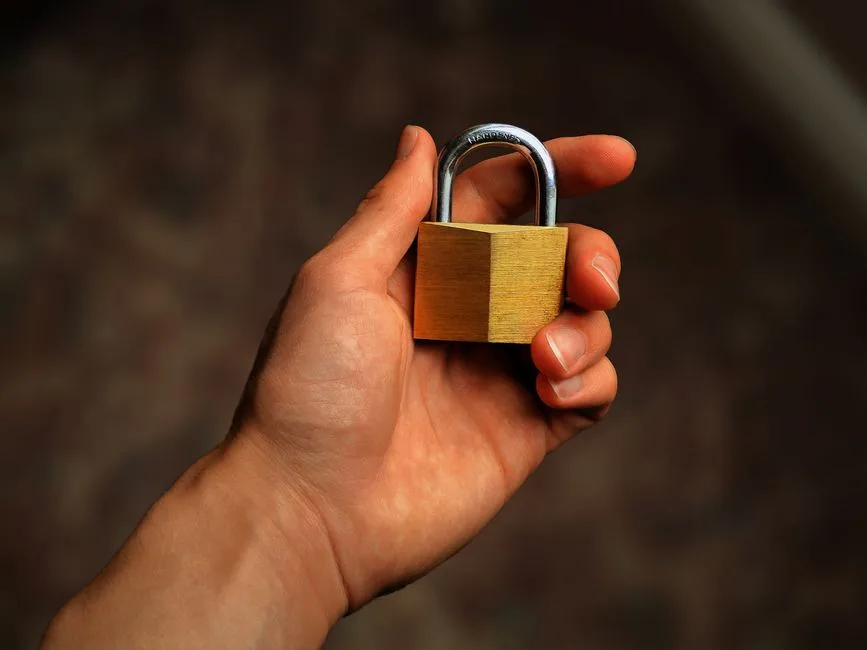
SSL stands for Secure Sockets Layer. An SSL certificate is a small data file that creates an encrypted connection between your website and your visitor's browser. When it is active, your address changes from http:// to https:// and a padlock icon appears next to your domain name.
Without encryption, any information typed on your site (passwords, phone numbers, Mobile Money references, contact details) travels across the internet as plain text. Anyone intercepting that traffic could read it. With SSL, that data becomes unreadable code that only the right server can decrypt.
For a Cameroonian business, the benefits are concrete:
Customer trust: Visitors see the padlock and feel safe sharing their information or placing an order.
Better Google ranking: Google officially favours secure HTTPS sites in search results.
No browser warnings: Chrome, Firefox and Safari flag non-secure sites, scaring away potential clients.
Safer payments: If you collect orders or process Mobile Money transactions, encryption protects sensitive details.
A professional image: A secure site signals that your brand takes its customers seriously.
How to Get a Free SSL Certificate
You do not need to be a developer to secure your website. There are three main paths to obtain a free SSL certificate, and we will walk through each one so you can choose what fits your situation best.
Option 1: Use Hosting That Includes Free SSL (Easiest)
By far the simplest method is to choose a hosting provider that includes SSL at no extra cost. With this approach, the certificate is issued, installed and renewed for you automatically. You do not touch a single line of code.
At NTAS SERVER, every web hosting plan and WordPress hosting plan comes with a free SSL certificate built in. As soon as your domain is connected, your site is served over HTTPS and the padlock appears. This is the recommended route for almost every small business in Cameroon, because it removes all the technical work.
Steps to follow:
Sign up for a hosting plan that includes free SSL.
Point your domain to your hosting account.
Activate SSL from your control panel (often a single click) or let it activate automatically.
Confirm your site loads with https:// and the padlock.
Option 2: Install Let's Encrypt Yourself
Let's Encrypt is a free, automated certificate authority trusted by all major browsers. It powers a huge share of secure sites worldwide. If your hosting uses cPanel or another modern control panel, you can usually install a Let's Encrypt certificate in a few clicks:
Log in to your hosting control panel.
Open the SSL/TLS or Let's Encrypt section.
Select your domain and click Issue or Install.
Wait a minute while the certificate is generated and applied.
Let's Encrypt certificates are valid for 90 days, but good hosts renew them automatically so you never face a sudden expiry. If you manage your own VPS server or dedicated server, you can install Let's Encrypt using a free tool called Certbot, which automates issuance and renewal directly from the command line.
Option 3: Free SSL Through a CDN
Services like Cloudflare offer a free plan that includes an SSL certificate at the network edge. You change your domain's nameservers to point to the CDN, and it secures the connection between your visitors and its servers. This is a valid option, but for most Cameroonian businesses the built-in SSL from quality hosting is simpler and more reliable, because it also encrypts the link all the way to your own server.
Step-by-Step: Securing a New Website in Cameroon
Let's put it all together. Here is the practical path from zero to a fully secured site:
Register your domain. Choose a clear, memorable name through our domain name service. A .com or .cm extension works well for local credibility.
Pick hosting with free SSL. Select a web hosting plan that bundles the certificate so you avoid extra steps.
Connect domain and hosting. Update your DNS records to point the domain to your hosting account.
Activate the certificate. Enable SSL in your control panel or confirm it activated automatically.
Force HTTPS. Make sure visitors are always redirected from http:// to the secure https:// version.
Test everything. Open your site, check for the padlock, and ensure no images or scripts still load over insecure http:// (this causes a "mixed content" warning).
You can pay for your domain and hosting easily using Mobile Money. Providers in Cameroon typically accept MTN MoMo and Orange Money, often through a payment gateway such as CamerPay, which brings Orange Money, MTN MoMo, bank cards and PayPal together under one system. This makes getting your secure site online fast and convenient, without needing an international credit card.
Free vs Paid SSL: Which Should You Choose?
A common question is whether the free option is "good enough." For the vast majority of websites, the answer is yes.
Feature
Free SSL (Let's Encrypt)
Paid SSL (OV / EV)
Encryption strength
Strong (256-bit)
Strong (256-bit)
Browser padlock
Yes
Yes
Validity
90 days, auto-renewed
1 year+
Identity verification
Domain only
Business / extended
Best for
Blogs, SMEs, small shops
Banks, large e-commerce
A free SSL certificate delivers the exact same encryption as a paid one. The difference lies in the level of identity validation and warranty, which matters most for large institutions handling highly sensitive data. For startups, SMEs and standard online stores in Cameroon and Central Africa, free SSL is a perfect, professional choice.
Common SSL Mistakes to Avoid
Even after installing your certificate, watch out for these frequent issues:
Mixed content: Loading some images, fonts or scripts over http:// breaks the padlock. Update all internal links to https://.
Forgetting to redirect: If both http:// and https:// versions stay live, you split traffic and confuse search engines. Always force HTTPS.
Letting it expire: With manual setups, a forgotten renewal takes your whole site offline with a scary warning. Choose hosting with automatic renewal.
Securing only the homepage: Make sure every page, including checkout and contact forms, is covered.
If any of this feels overwhelming, our team can handle the entire setup for you. Reach out through our contact page and we will secure your site quickly.
Conclusion: Secure Your Website Today
An SSL certificate is no longer optional, it is a basic requirement for any serious website in 2026. It protects your customers, boosts your Google ranking, removes browser warnings and strengthens your brand's reputation. Best of all, you can get a free SSL certificate included automatically when you host with the right partner.
At NTAS SERVER, we make security effortless. Every hosting plan ships with free, auto-renewing SSL, so your Cameroonian business looks trustworthy and professional from day one. Explore our web hosting plans or get in touch with our team to launch a secure, fast and reliable website today.
Frequently Asked Questions (FAQ)
Is a free SSL certificate really safe to use?
Yes. A free SSL certificate from a trusted authority like Let's Encrypt uses the same 256-bit encryption as paid certificates. It fully secures the connection between your visitors and your website.
How long does a free SSL certificate last?
Let's Encrypt certificates are valid for 90 days, but quality hosting providers renew them automatically. You never have to worry about expiry or manual renewal.
Will a free SSL certificate help my Google ranking?
Yes. Google uses HTTPS as a ranking signal and labels non-secure sites with a warning. A free SSL certificate helps your SEO and keeps visitors from leaving your site.
Do I need a paid SSL certificate for an online store?
For most small shops a free SSL certificate is enough to encrypt payments and data. Large businesses handling sensitive transactions may prefer an EV or OV certificate for extra trust signals.
Wondering what an SSL certificate is and why your Cameroon business needs one? Discover how SSL secures your site, wins customer trust, and improves SEO.
A practical guide to AI chatbots for customer service in Cameroon: how they work, what they cost, how to deploy one and the mistakes to avoid for your SME.
A practical guide for Cameroonian and Central African entrepreneurs on using AI to win customers, cut costs and automate daily tasks, without a big budget.
 FR
FR
 EN
EN
 SSL
SSL